Purpose
Configuration Administrators, VaultAdmins users, VaultAccess users, and Supervisors can modify user information.
With this, there are some things to keep in mind:
- Supervisors cannot directly navigate to the Control Panel and must access the Users list via a menu item.
- Configuration Administrators must access users from either:
- Within the site where the user is housed OR
- Central Admin
Modify A User as VaultAdmins, VaultAccess, or Configuration Administration
To modify a user account:
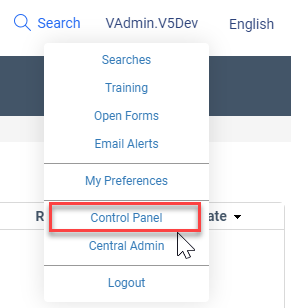
- Hover over the user information in the upper right-hand corner of the window and select Control Panel.
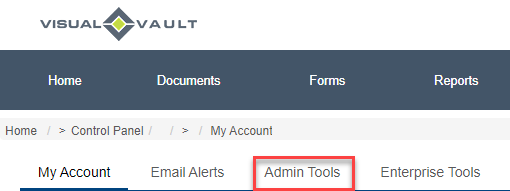
- Select the Admin Tools Tab.
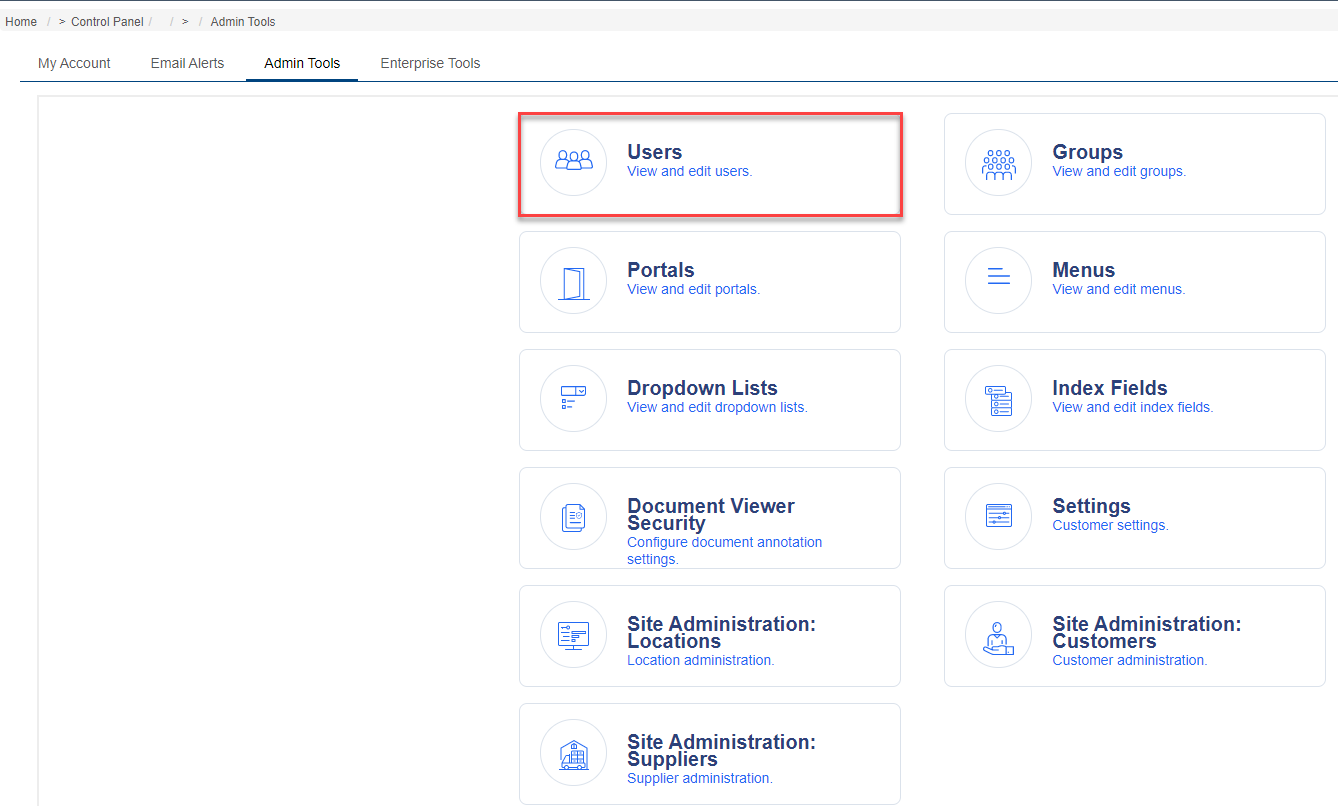
- Select Users.
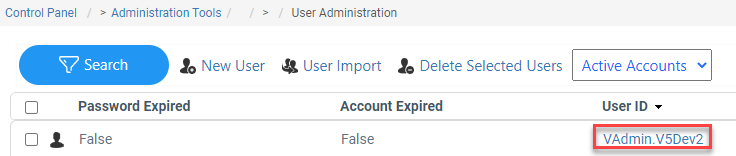
- Under the User ID column, select the user who should be updated.
- Select the desired tab and modify the information as desired.
- If information was updated on the Details tab, use the Save button to commit changes.

- If information was updated on the Details tab, use the Save button to commit changes.
Modify a User as a Supervisor
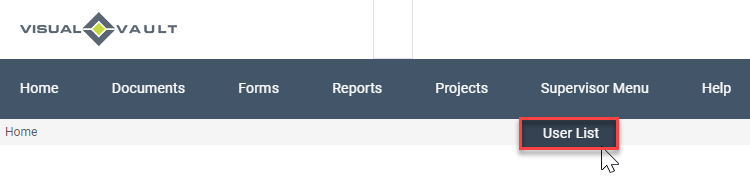
As a reminder, Supervisors do not have direct access to the Control Panel and must access the User list from a menu item.
To modify a user account:
- Select the menu item leading to a User list.
- Under the User ID column, select the user who should be updated.
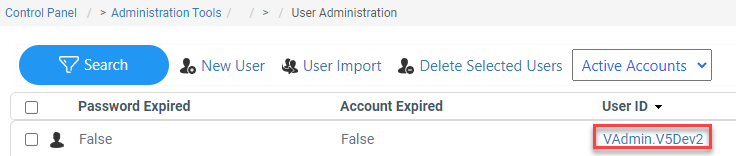
- Select the desired tab and modify the information as desired.
- If information was updated on the Details tab, use the Save button to commit changes.

- If information was updated on the Details tab, use the Save button to commit changes.
Users may or may not be visible on the default screen.
- This will depend on if the user is enabled, disabled, or expired.
- Utilize the filtering mechanism at the top of the screen to show the right groups of users.
- If users are disabled, they are not counted towards the number of licenses used.
Modify User Preferences
For additional information regarding how to modify a user's preferences, please refer to the article: Modify User Preferences.
Passwords
For additional information regarding changes to User IDs or Passwords, please refer to the article: Modifying Passwords